
Cryptita Plays · Social Media Challenge
How it works
Seven steps from photo to prize wheel.
-
Take your photo
Open the booth page and tap Take / choose photo. The photo stays on your phone.
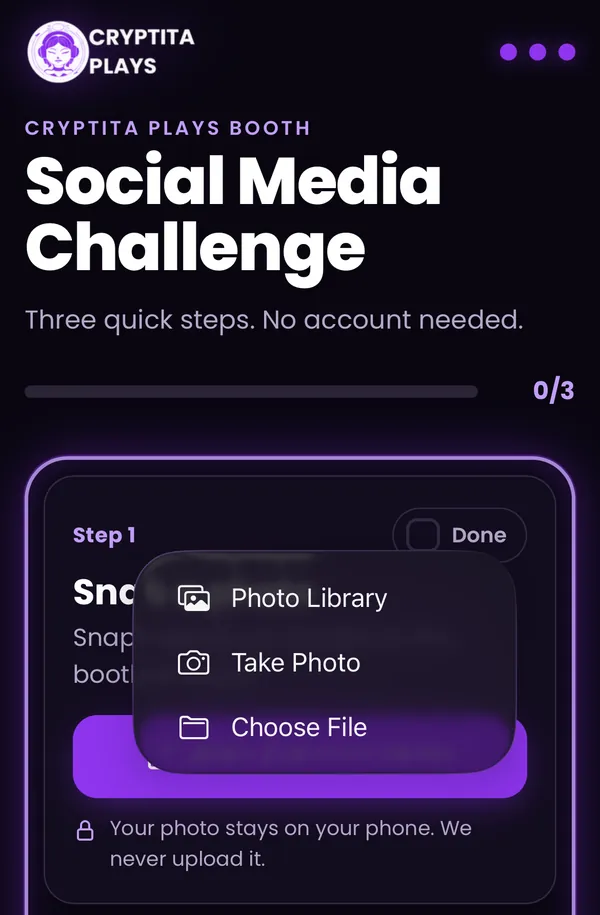
Pick Take Photo or Photo Library -
Tap Post on LinkedIn
Pick the LinkedIn app and check your photo is attached. If the caption is missing, paste it (we copied it for you).
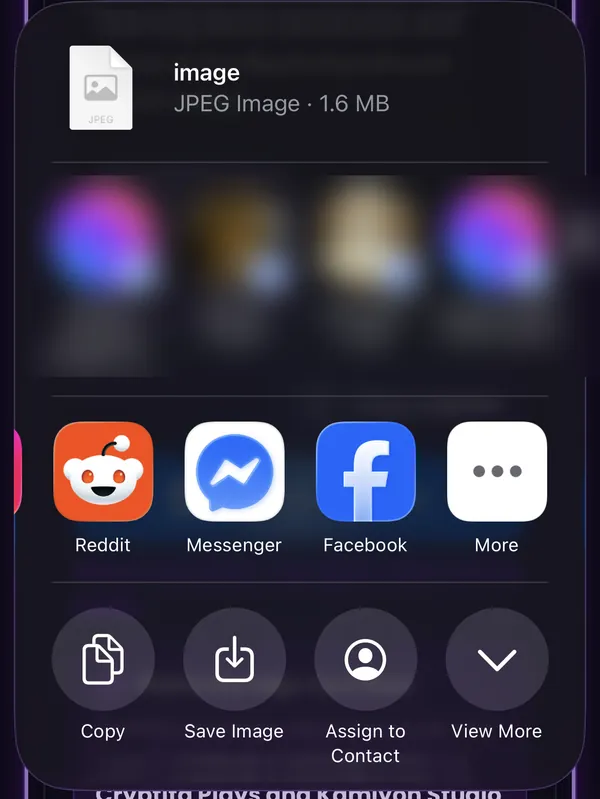
Your photo is attached. Tap More if LinkedIn isn't shown 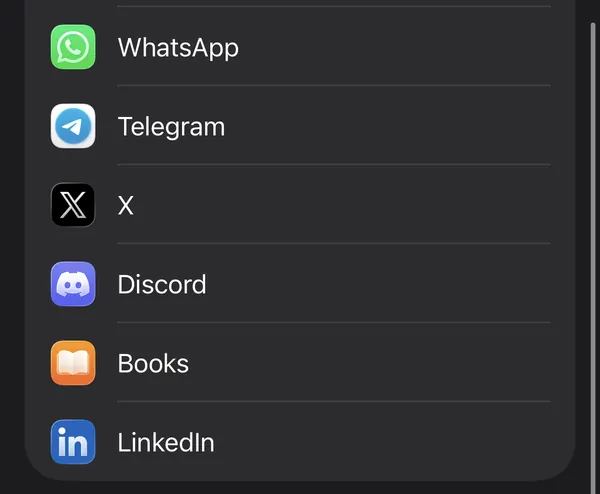
Choose LinkedIn -
Tag the partners
Type @ and pick Cryptita Plays and Kamiyon Studio from the list so they turn blue. If the list doesn't pop up, post first, then use ⋯ → Edit post to add the tags.
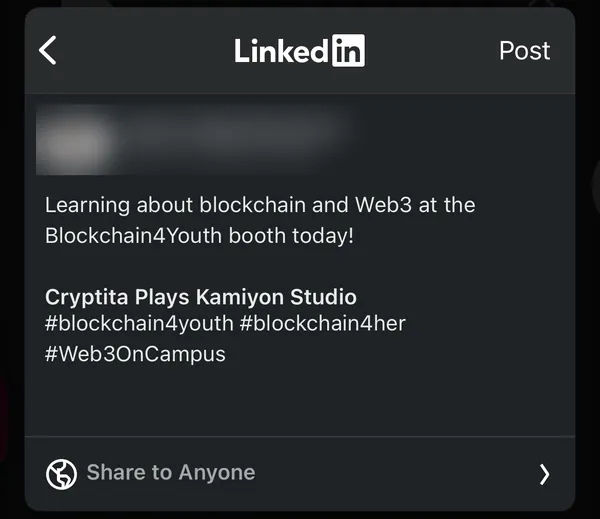
The caption arrives as plain text. Make the names blue with @ -
Check the hashtags, then post
Make sure #blockchain4youth #blockchain4her #Web3OnCampus are in your post, then tap Post.
-
Copy your post link
On your post, tap ⋯ then Copy link to post. Don't see it? Tap Share via then Copy.
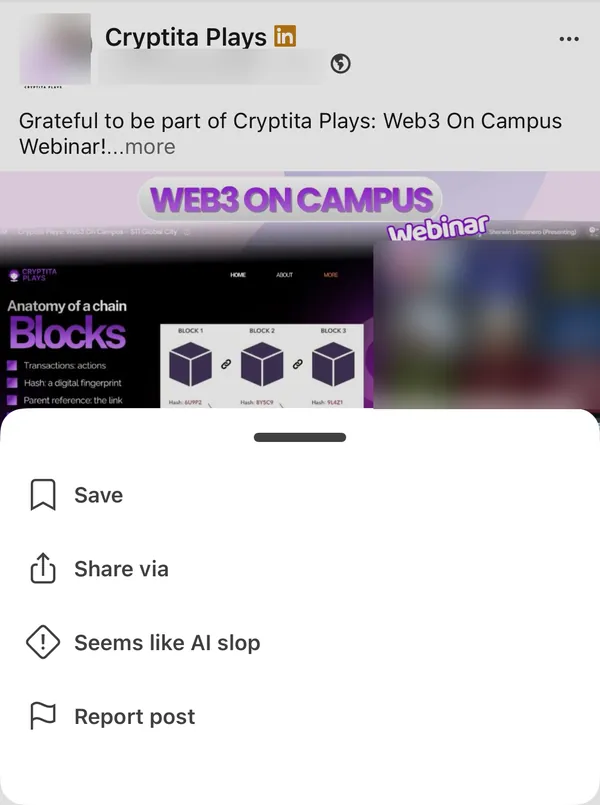
Tap ⋯ on your post, then Share via 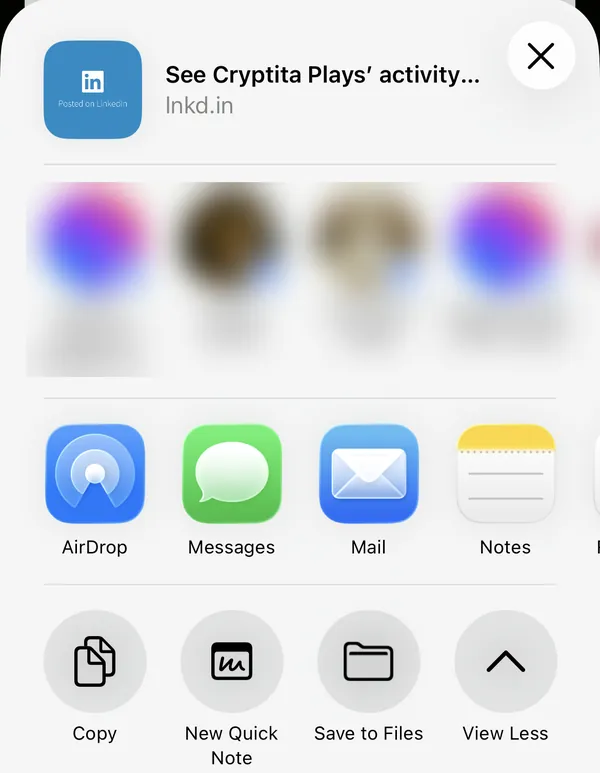
Tap Copy -
Send it in Telegram
Open Telegram, join our group and paste the link in General Chat.
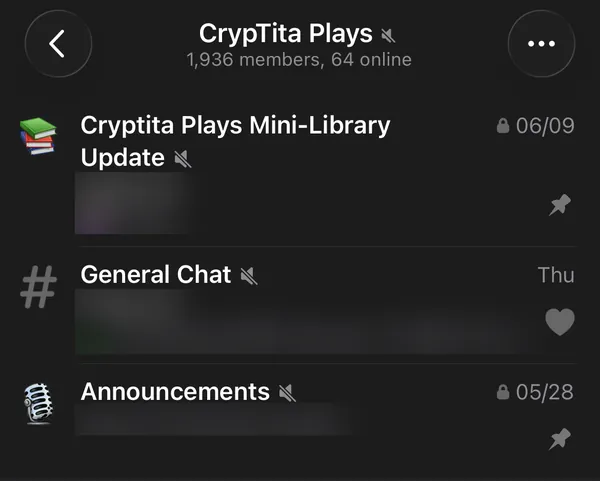
Open General Chat and paste your link -
Show your “You're in!” screen
Show it to the booth staff. Once they check your post, you get to spin the prize wheel!